
Using search
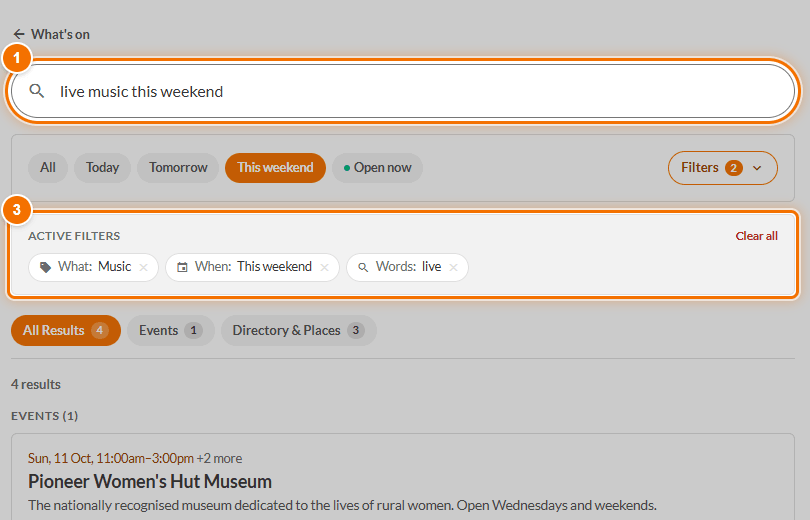
Search understands plain sentences. Type what you would say out loud and it sets the filters for you.
How to search
- Tap the magnifying glass (the Search tab on a phone, or the box at the top on a computer).
- Type, for example, Live music this weekend, Something for the kids tomorrow, Local market next month or Bakery open Saturday.
- Press Enter. You will see Active filters chips such as What: Music and When: This weekend.
- Tap the x on any chip to take it off, or Clear all.
More control
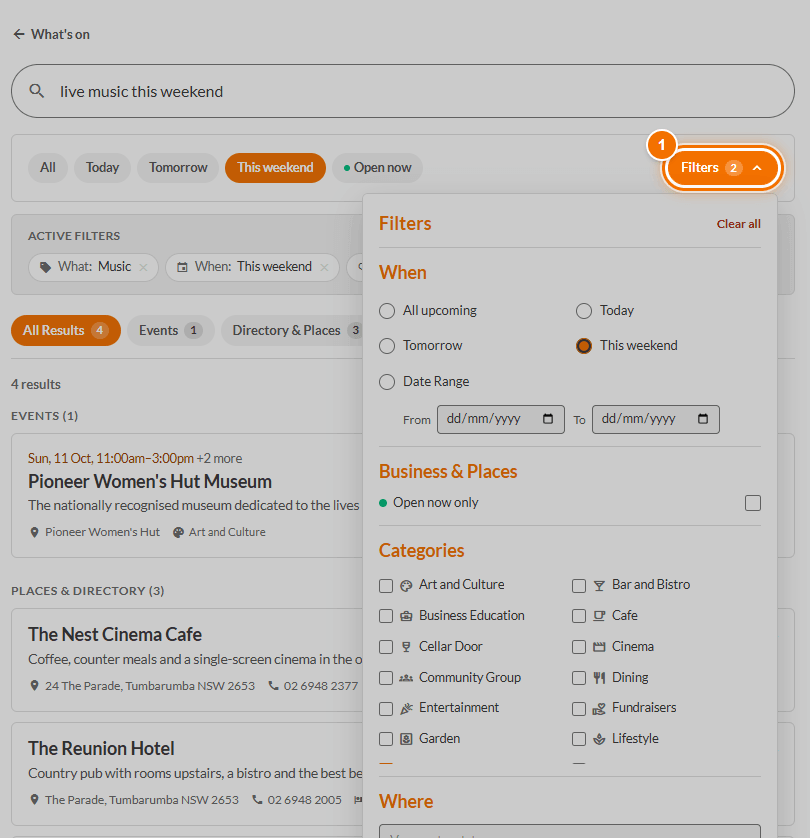
Press Filters (1) beside the quick chips to set the dates, categories and place by hand. The panel opens leftwards from the button, so you can still see your results beside it.
Results
Use the tabs All Results, Events and Directory & Places to narrow what you see.
Good to know: Search only helps set the filters. It never picks or ranks the results; they come straight from what is listed.
If you do not mention a date, search looks ahead from today rather than back through old events.
If you get nothing, widen it: take off a filter, or try a simpler word. Not listed yet? Add an event or List a place is free.