
Using filters: What, When and Where
Filters narrow the lists to just what you are after. They work the same way in the What's On and Directory columns.

Quick chips
Under the Filters button you will find chips: All, Today, Tomorrow and This weekend. In the Directory there is also Open now.
All the filters
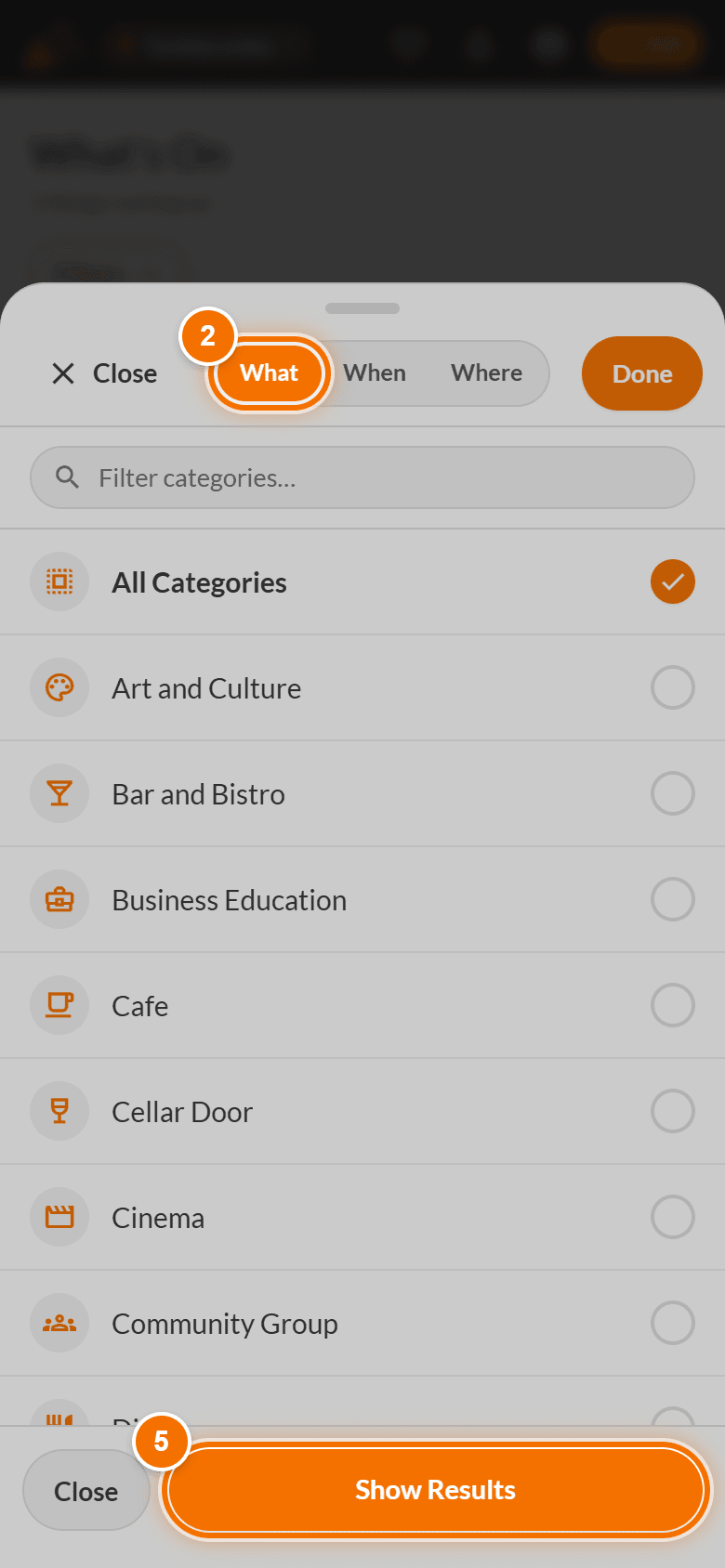
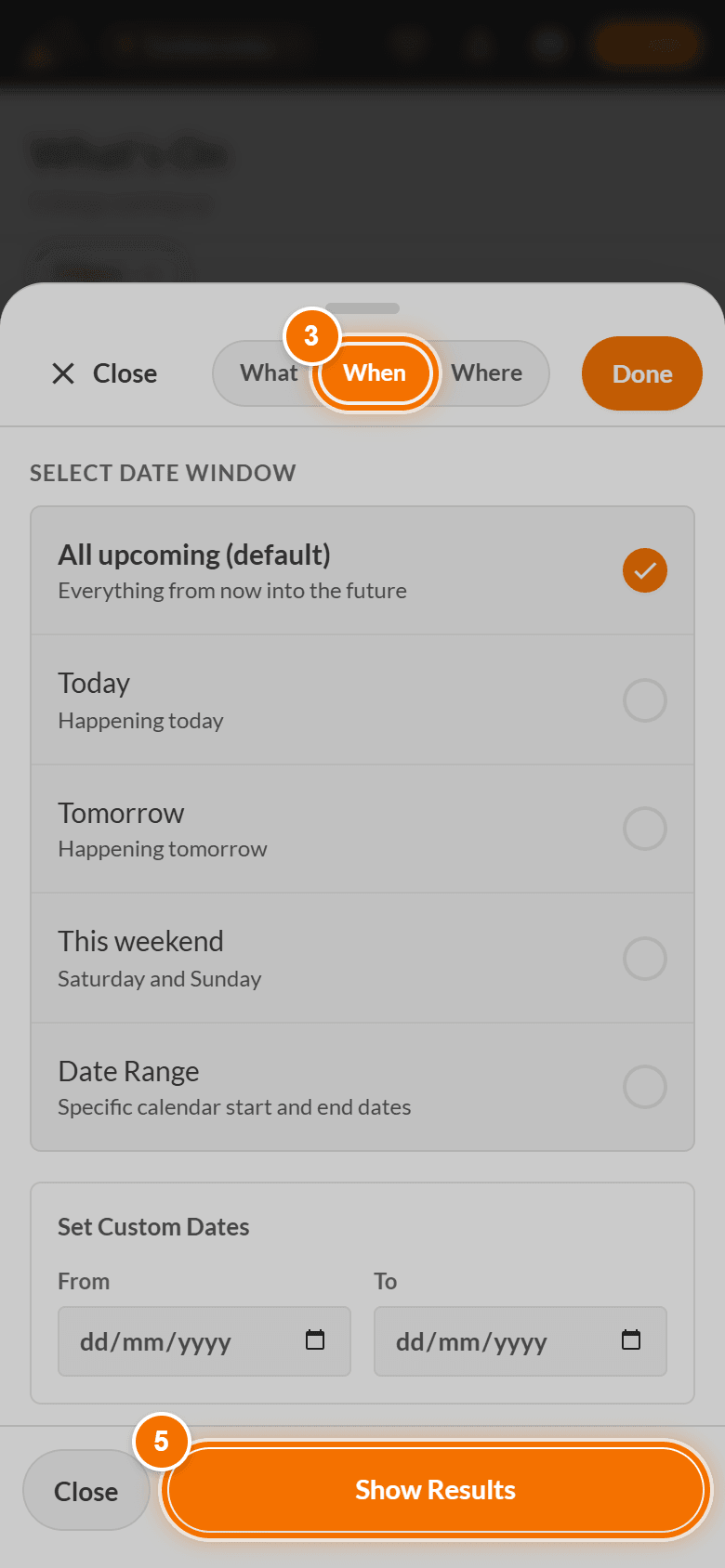
- Tap Filters. A panel opens with three tabs: What, When and Where.
- What - tick one or more categories (type in the box to find one). All Categories clears them.
- When - choose All upcoming, Today, Tomorrow, This weekend or Date Range and pick the From and To dates.
- Where - type a venue, street or landmark. Your town is already chosen by the community you are viewing.
- Tap Show Results.
|
|
|
How dates match
An event shows if any of its dates overlap your window. A Saturday market appears under "This weekend". A Monday-to-Friday exhibition does not, even though it runs on the weekend's doorstep.
Clear them
Use Clear on the What tab, or Clear all next to the active filters.