
Signing in with Google, Microsoft, Facebook or Apple (single sign-on)
You do not need an account to browse, search or add something to What When Where. Signing in just keeps track of what you have submitted and lets you set reminders. There are no passwords.
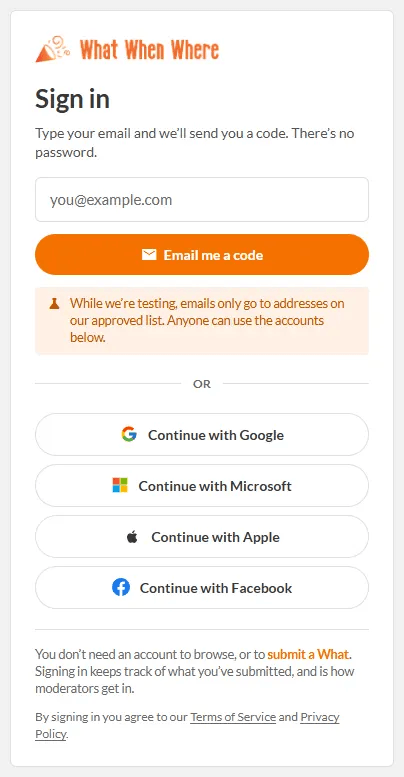
Ways to sign in
- Email me a code - type your email, press Email me a code, then type the six-digit code we send. It lasts 10 minutes and only the newest code works.
- Continue with Google, Microsoft, Apple or Facebook - one tap, using the account you already have.
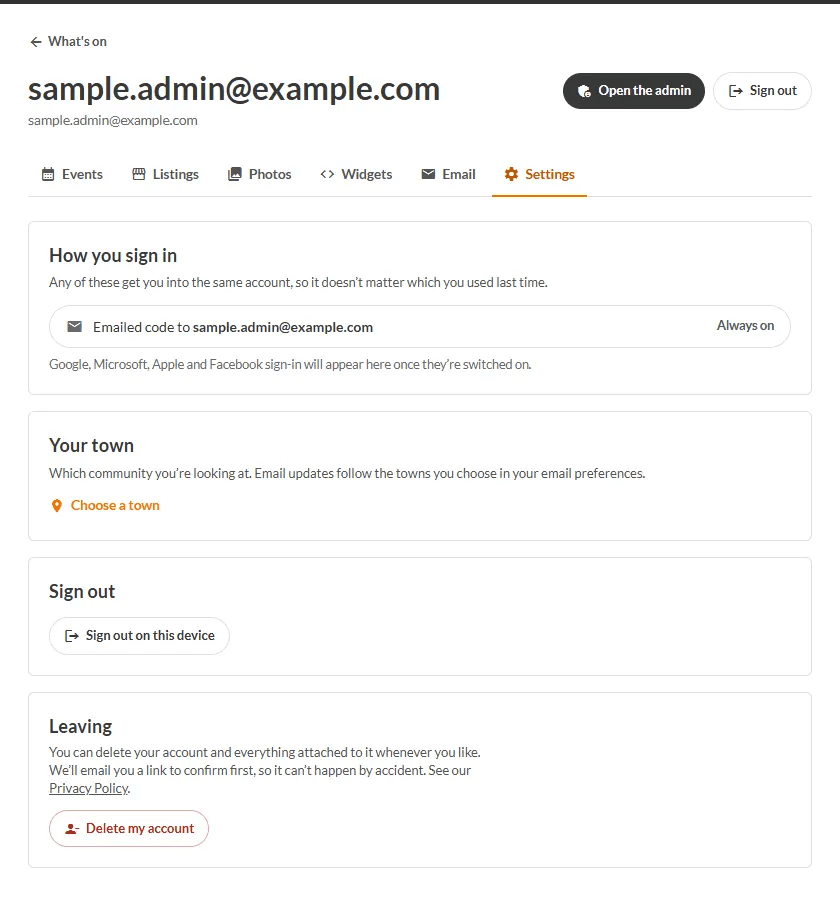
All of these lead to the same What When Where account, so it does not matter which you used last time.
Connect another way to sign in
- Sign in, then open Account → Settings.
- Under How you sign in, press the account you want to connect.
- Follow the prompts. You will see "Connected. You can sign in with it from now on."
If something goes wrong
- "You've signed in before with a different method" - sign in the way you did last time (or with an emailed code), then connect the new one from Settings.
- "That code has expired" - ask for a new one on the sign-in page.
- "Sign-in was cancelled" - no harm done; pick an option and try again.
- Nothing arrived? Check your junk folder.
TODO (client): Confirm which of Google, Microsoft, Apple and Facebook are switched on in production; the buttons only show for the ones that are.