
Approving gallery photos
Every photo is checked by the system and then by a person before it goes in the Gallery. You are the person.
The automatic check
When a photo arrives it is held back where nobody can see it, and an automatic safety check reads the picture and its caption. Only photos that pass can be approved. If the check can not clear a photo, it stays held back and you will see:
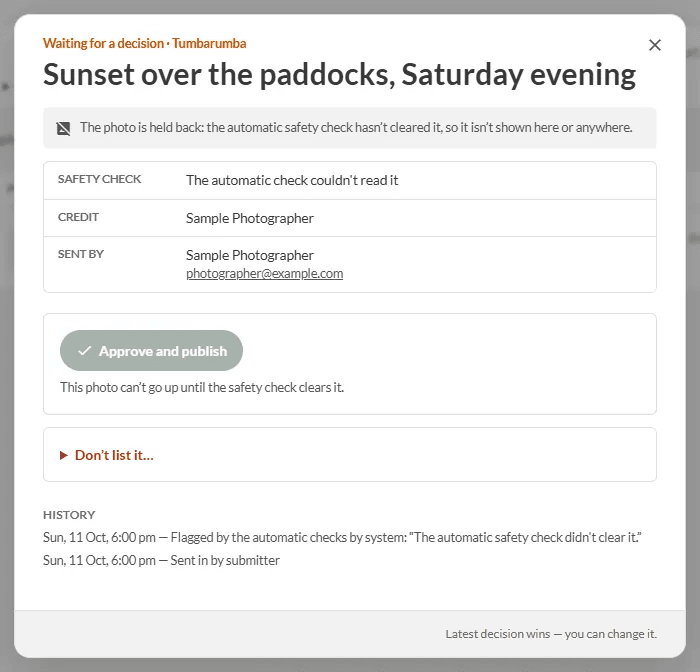
"The photo is held back: the automatic safety check hasn't cleared it, so it isn't shown here or anywhere." In that case the Approve and publish button is switched off.
Approve a photo
- Open Admin → Gallery (or press the button in the approver email).
- Open the photo. Check it is appropriate and the caption is fine.
- Press Approve and publish. The sender is told it is up.
Not suitable? Press Don't list it..., choose a reason and press Send and don't list.
The page also shows the history: when it was sent in and whether the automatic check flagged it.
TODO (client): Confirm what an approver should do with a photo the automatic check held back and could not clear (the Approve button is disabled): is it re-checked, removed, or escalated to an admin?