
Put What's On on your own website (widget)
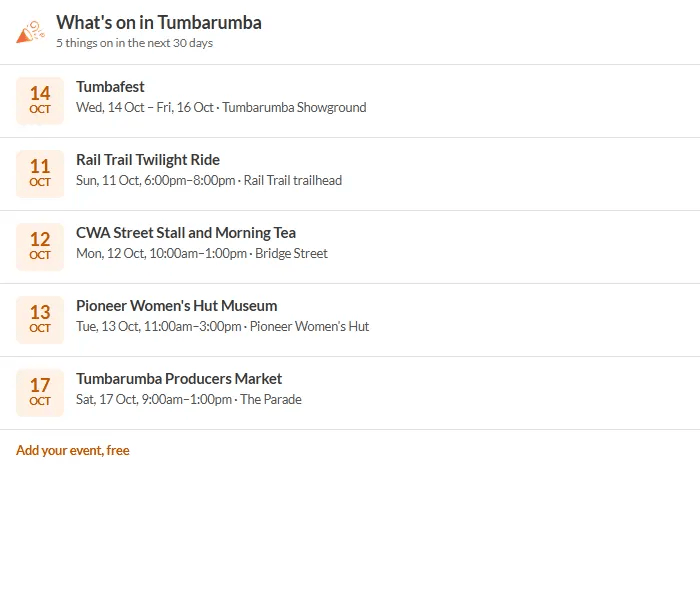
A widget is a small box that shows your town's events (or just yours) on another website, such as a council, chamber of commerce, visitor centre, club or business site. It updates by itself.
Who sets one up
Your community admin creates it in Admin → Widgets & screens (see steps below). If you are not an admin, ask them, or email support@whatwhenwhere.info.
Create one (admins)
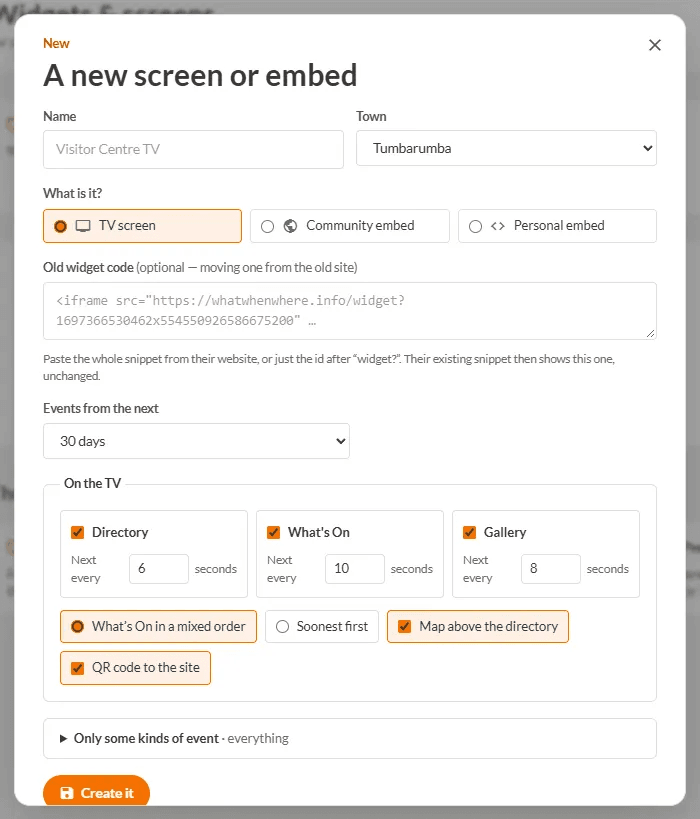
- Open Admin → Widgets & screens and press New screen or embed.
- Give it a Name, choose your Town, and choose Community embed (for the town's calendar) or Personal embed (a filtered calendar for a club or business).
- Choose Events from the next (how many days ahead to show).
- Under On their website set a Heading, the Look (A list or Tiles with photos) and how many events (Up to).
- Optionally open Only some kinds of event and tick categories.
- Press Create it.
Put it on the website
- Open the widget in the list. Copy the Embed code for their website.
- Paste it into the page where you want it (most website builders have an "embed" or "HTML" block).
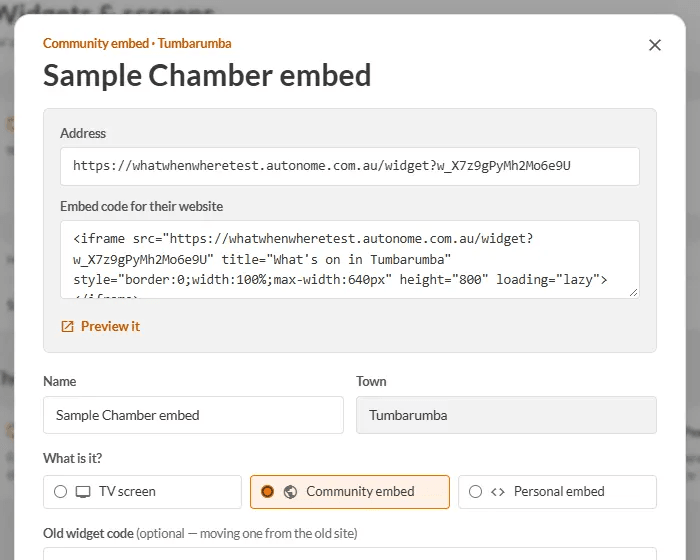
Press Preview it to see what it will look like. If you delete the widget, the box on the other website shows a "not set up" message.
Moving from the old site
Paste the old snippet (or just the id after widget?) into Old widget code. The snippet already on the website keeps working, unchanged.
TODO (client): The 'Widgets' tab under Account has a 'New widget' button that does not do anything yet. Confirm whether non-admins should be able to create their own, and whether the live address in the snippet should be whatwhenwhere.com.au.