
How to add a business or place using Google
If your business is on Google, we can bring across its address, phone, website and opening hours so you do not have to retype them.
Steps
- Tap Add then A business or place (or List a place).
- On Find it, type your business name or address.
- Pick your business from the suggestions.
- On Details, check each box. Things that came from Google are marked. Add a description and tick your categories.
- On Hours & contact, check the opening hours and phone or website, and add your own name and email (not shown publicly).
- On Check, look it over and press Send it in.
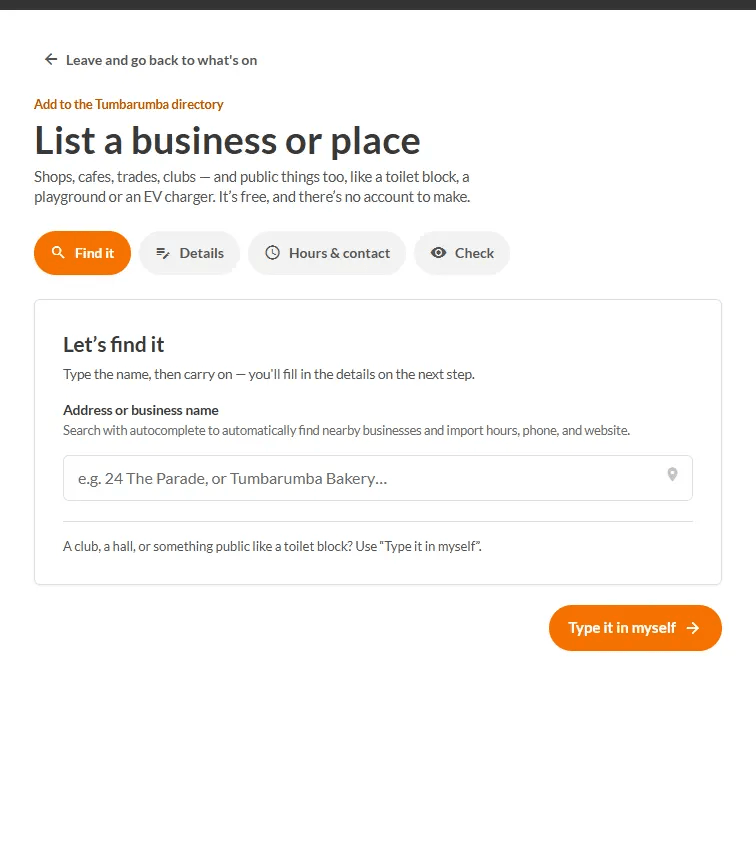
If Google finds nothing, or is not answering, you just carry on and type it yourself: nothing gets stuck. See Add a business or place by hand.
TODO (client): The Google lookup only shows when a Google Places key is configured. It is switched off on the staging site used for these screenshots (it says 'Type the name, then carry on'). Confirm it is on in production and retake this screenshot showing suggestions.